

The only beginner SEO guide you need — explained in simple English, loaded with real examples, and updated for the newest Google changes.
Search Engine Optimization (SEO) can feel overwhelming when you’re just starting out. You hear terms like keywords, backlinks, crawling, indexing, domain authority, E-E-A-T — but nobody seems to explain them in a way beginners can understand.
This beginner-friendly guide fixes that.
Whether you’re launching your first website, starting a business, blogging for fun, or building a personal brand, this guide breaks down exactly how SEO works and how you can rank higher on Google — step by step, without jargon or confusion.
By the end of this article, you will understand:
- What SEO truly is (and what it isn’t)
- How Google decides which websites to rank
- How to choose the right keywords
- How to write SEO-friendly content
- How backlinks help your website rank
- How technical SEO improves visibility
- How long SEO takes
- And exactly what to do next
Let’s start from the very beginning.
Google PageSpeed documentation:
https://developers.google.com/speed/docs/insights/faq
What Is SEO? (Simple Explanation for Beginners)
SEO stands for Search Engine Optimization, which means improving your website so Google can:
- understand your content
- trust your website
- show your pages to people searching for what you offer
The goal of SEO is simple:
👉 Get more free, consistent traffic from Google.
It is not paid advertising.
You do not pay Google for rankings.
You earn your rankings through optimization, trust, and relevance.
SEO helps you appear when someone searches for:
- your product
- your service
- your brand
- your topic
- your niche
If your website is invisible on Google, SEO is the solution.
How Google Search Works (Explained for Beginners)
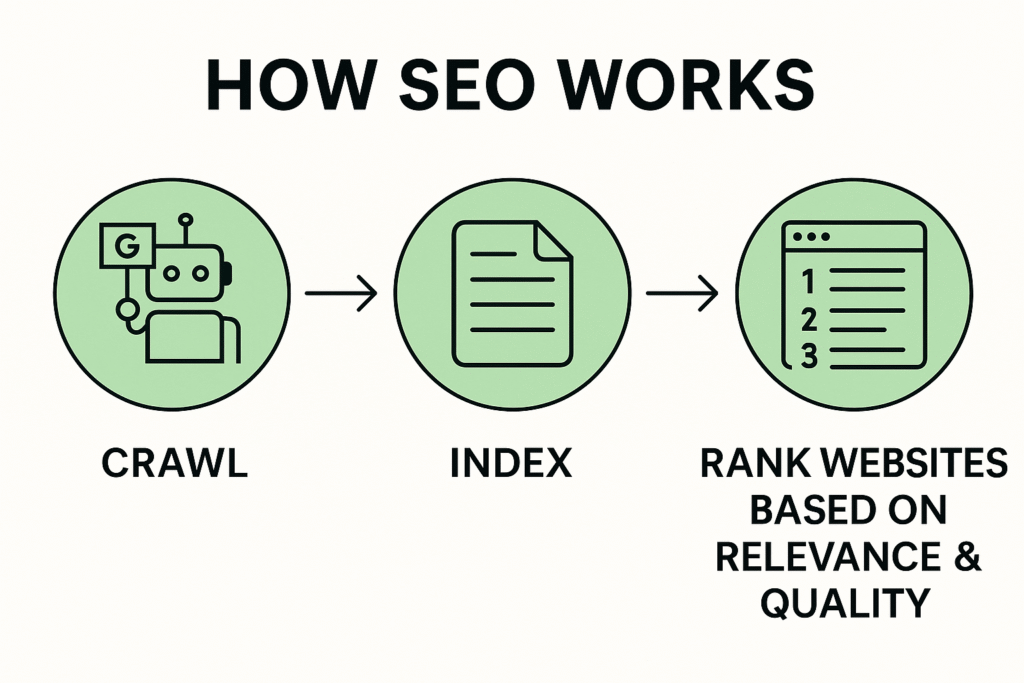
When you search for anything on Google, it happens in three steps:
1. Google crawls websites
It sends “bots” (crawlers) across the internet to find new pages.
2. Google indexes your content
It stores the information in a huge database — like a digital library.
3. Google ranks websites
It decides which content deserves to appear on top based on:
- relevance
- helpfulness
- quality
- trust signals
- user experience
If Google cannot crawl or index your site properly, you cannot appear in search results.
This is why SEO matters.
Why SEO Is Important for Every Beginner
SEO is one of the highest-ROI digital marketing channels because:
✔ Traffic is free
✔ Traffic is consistent
✔ Rankings last a long time
✔ Good SEO compounds over time
✔ SEO builds brand authority
✔ SEO creates passive traffic
Paid ads stop when you stop paying. SEO keeps working even while you sleep.
The Three Pillars of SEO (Beginner-Friendly Breakdown)

SEO has many components, but they all fall under three main pillars:
1. On-Page SEO (Content)
Everything you put on your website, such as:
- keywords
- headings
- paragraphs
- images
- meta tags
- internal links
2. Off-Page SEO (Backlinks & Authority)
Everything that happens outside your website that builds trust:
- backlinks
- brand mentions
- reviews
- social signals
- domain authority
3. Technical SEO (Behind-the-Scenes Optimization)
Things that help Google crawl, index, and understand your website:
- speed
- mobile friendliness
- sitemaps
- HTTPS security
- structured data
- Core Web Vitals
Mastering these three pillars is how beginners become advanced SEO practitioners.
Keyword Research: How to Find the Right Keywords as a Beginner
Keyword research means finding out what people are typing into Google.
Examples:
- “how to start a blog”
- “best laptop for students”
- “digital marketing agency Malaysia”
- “how to make money online”
- “SEO for beginners”
Your keywords must match:
- what people search for
- what your content talks about
- what your website offers
Tools for Beginners
You can start with free or easy tools:
- Google Keyword Planner
- Google Search Console
- UberSuggest
- AnswerThePublic
- KeywordTool.io
- Ahrefs free tools
- SEMrush free tier
Types of Keywords
Short-tail keywords
One or two words. Example: “SEO”, “laptops” which is high competition, hard for beginners.
Long-tail keywords
Example: “SEO tips for beginners”, “best laptop for gaming students”
Lower competition, easier to rank.
👉 Beginners should always target long-tail keywords first.
How to Create SEO-Friendly Content (Beginner Formula)
You don’t need to be a professional writer to rank. You just need to write helpful content that answers the searcher’s question.
Here is the beginner-friendly formula:
1. Use your keyword in the title
Example: “SEO for Beginners: Complete Guide to Ranking on Google”
2. Use headings to organize your content
Google likes clean structure.
3. Write clear, simple paragraphs
Avoid long blocks of text.
4. Add images, examples, statistics
Visuals improve engagement.
5. Use internal links
Link to other pages on your website.
6. Use external links
Link to authoritative sources when relevant.
7. End with a clear conclusion or CTA
Tell readers what to do next.
The more value your content gives, the higher Google ranks it.
Understanding Backlinks (The #1 Ranking Power in SEO)
A backlink is when another website links to your website.
Google sees backlinks as votes of trust.
- High-quality backlinks = higher rankings
- Low-quality backlinks = no results
- Spam backlinks = dangerous and penalizing
Types of Good Backlinks
- Editorial links from blogs
- News site features
- Guest posts
- Niche directories
- Brand mentions
- Forum contributions (non-spam)
4 SEO things to avoid:
- Buying cheap backlinks
- PBN spam
- Link farms
- Auto-generated spam links
Quality beats quantity every time.
Technical SEO Basics Every Beginner Should Know
Technical SEO helps Google understand and index your site.
Must-Do Technical Tasks
✔ Use HTTPS
✔ Improve page speed (use tools like PageSpeed Insights)
✔ Make your site mobile-friendly
✔ Fix broken links
✔ Submit a sitemap
✔ Optimize URL structure
✔ Install schema markup
✔ Enable lazy-loading for images
✔ Use compressed images
If Google cannot access your pages, you cannot rank — no matter how good your content is.
Google PageSpeed documentation:
https://developers.google.com/speed/docs/insights/faq
How Long Does SEO Take? (Beginner Reality Check)
SEO is not instant.
Typical timeline:
- 0–3 months: foundation, slow growth
- 3–6 months: keywords start ranking
- 6–12 months: stable traffic growth
- 12+ months: exponential results
SEO is like planting a tree: The earlier you start, the bigger the benefits later.
Common SEO Mistakes Beginners Should Avoid
❌ Stuffing too many keywords
❌ Copying content from competitors
❌ Publishing short, thin articles
❌ Ignoring mobile users
❌ Not using internal links
❌ No sitemap submitted
❌ Ignoring backlinks
❌ Using AI content without editing
❌ Publishing without a strategy
SEO rewards consistency and effort, not shortcuts.
SEO Checklist for Beginners (Copy This!)
Basic On-Page SEO
- Keyword in title
- Keyword in first paragraph
- URLs short and clean
- Proper headings
- Internal links
- External links
- 1,200+ words recommended
Basic Off-Page SEO
- Build beginner-friendly backlinks
- Join relevant communities
- Guest post
- Get listed on directories
Technical SEO
- Submit sitemap
- Fix 404 errors
- Optimize page speed
- Enable mobile responsiveness
Advanced SEO Tips for Beginners Who Want Faster Results
These aren’t required, but they can accelerate your growth:
1. Target easy keywords first
You’ll rank faster and build momentum.
2. Create “hub” content articles
Google loves strong topical authority.
3. Update old content regularly
Fresh content ranks better than outdated information.
4. Analyze top-ranking competitors
Look at their:
- word count
- content structure
- backlinks
- page speed
- user experience
Then make something better.
5. Use multi-channel SEO
Social media, YouTube, TikTok, Quora, Reddit — all send authority signals.
Recommended Beginner SEO Tools
Free Tools
- Google Analytics
- Google Search Console
- PageSpeed Insights
- Ahrefs Free
- Screaming Frog Free (for crawling)
- Ubersuggest Free
Paid Tools (when you’re ready)
- Ahrefs
- SEMrush
- SurferSEO
- RankMath Pro
- Screaming Frog Pro
Tools are helpful — but strategy matters more.
Conclusion: You Now Understand SEO as a Beginner — What’s Next?
You’ve just learned the fundamentals of SEO in a simple, beginner-friendly way.
The next step is action.
Start with:
- Choosing your keywords
- Creating valuable content
- Optimizing your website structure
- Building backlinks gradually
- Improving technical performance
SEO is a long-term game, but every piece of content you publish becomes an asset that grows in value.
If you stay consistent, your website will rank — and when it does, the traffic will be one of the most reliable and profitable sources you’ll ever have.
